Pickup in Store
Letting stores move stock between locations, so one missing item stops blocking an order
- Role
- Sole designer
- Timeline
- 2024
- Team
- Product, Engineering
- Surfaces
- Admin, POS, Checkout, Functions
- Status
- Shipped — Summer '24 Edition
One out-of-stock item blocked the entire order
If a single item in a customer’s order wasn’t in stock at a pickup location, the whole order couldn’t be collected there. Customers had no way of knowing why, and merchants had no way of telling them.
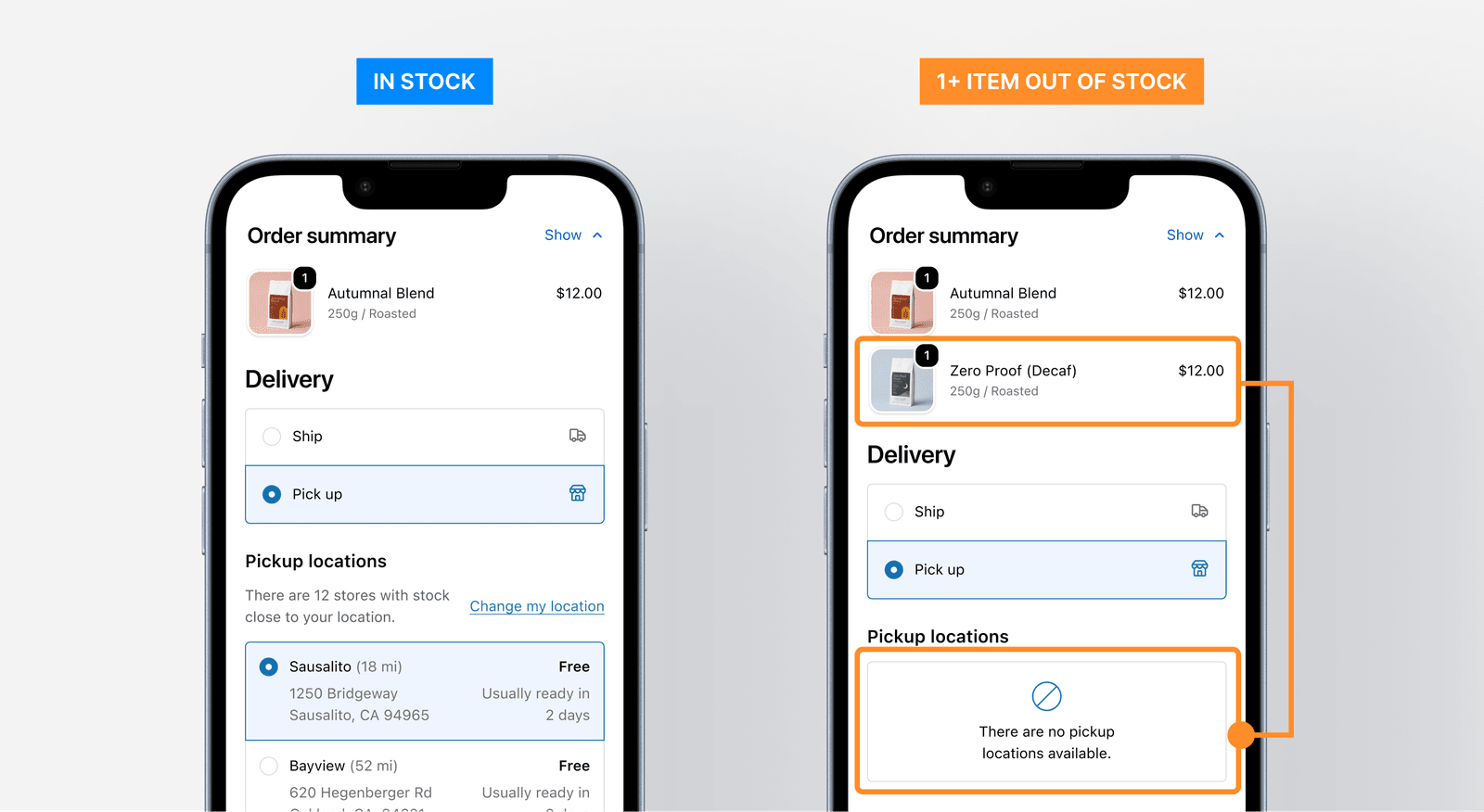
Before designing anything I spent time with merchants at both ends of the range — large, high-GMV stores already running their own custom solutions, and two-location merchants who had resorted to faking their inventory in Shopify to allow the pickup to go through.
The solution they were all using was some version of a store transfer. If a location was missing an item, they would transfer the inventory from one that had it in stock.
A buyer in London saw pickup locations in New York
While investigating and researching this further, we learned about other issues. A major one was that pickup locations were shown worldwide, with no regard to countries or distance.
A customer in the United Kingdom would see pickup locations in New York, with the checkout presenting this as if it was a normal option. While larger merchants would solve this (and other issues) by creating different stores for each region, Shopify was building out Markets – a feature that let stores setup selling regions all under a single store.
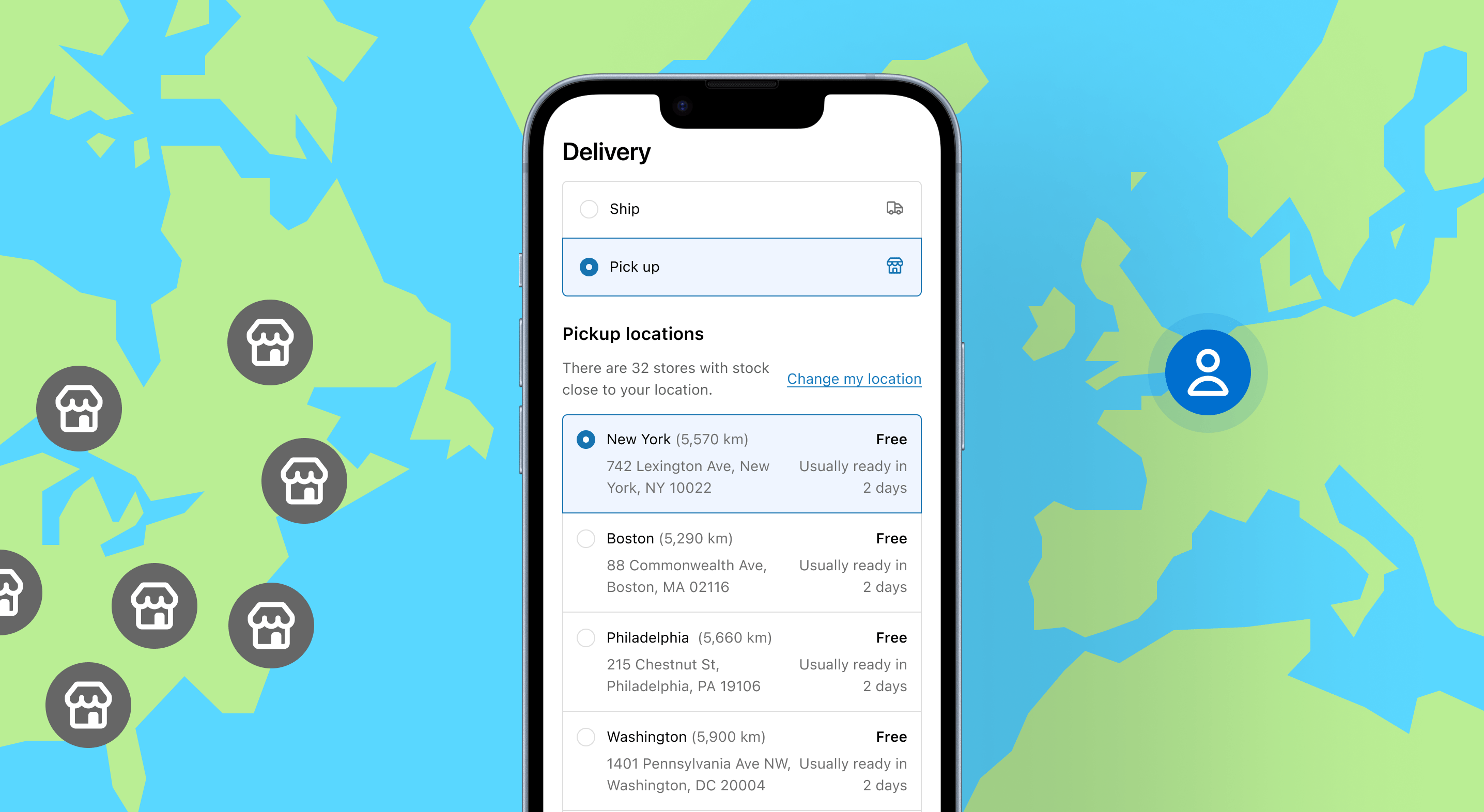
To address this, we would expand our scope to include this use case, working closely with the Markets and Checkout team on an approach that addressed this issue.
Pickup locations can now pull inventory from anywhere
The flagship of the rebuild was Store Transfers. A pickup location can now pull inventory from another location — a warehouse, another store — to fulfill an order it couldn’t have completed on its own.
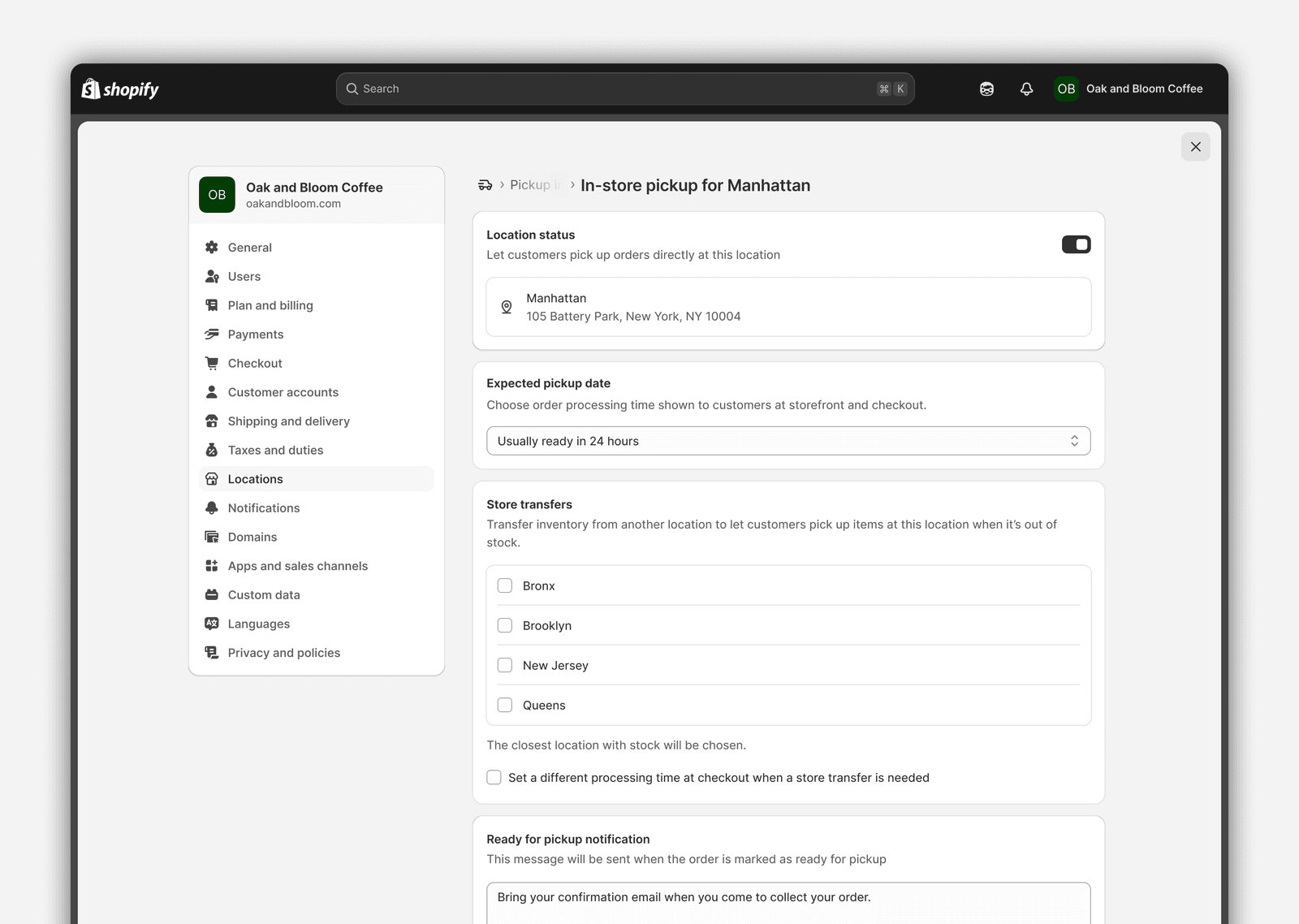
On the settings side, a merchant can now:
- Designate source locations a pickup location can transfer from
- Exclude specific products from ever being considered for transfer
- Adjust processing time to account for the transfer itself
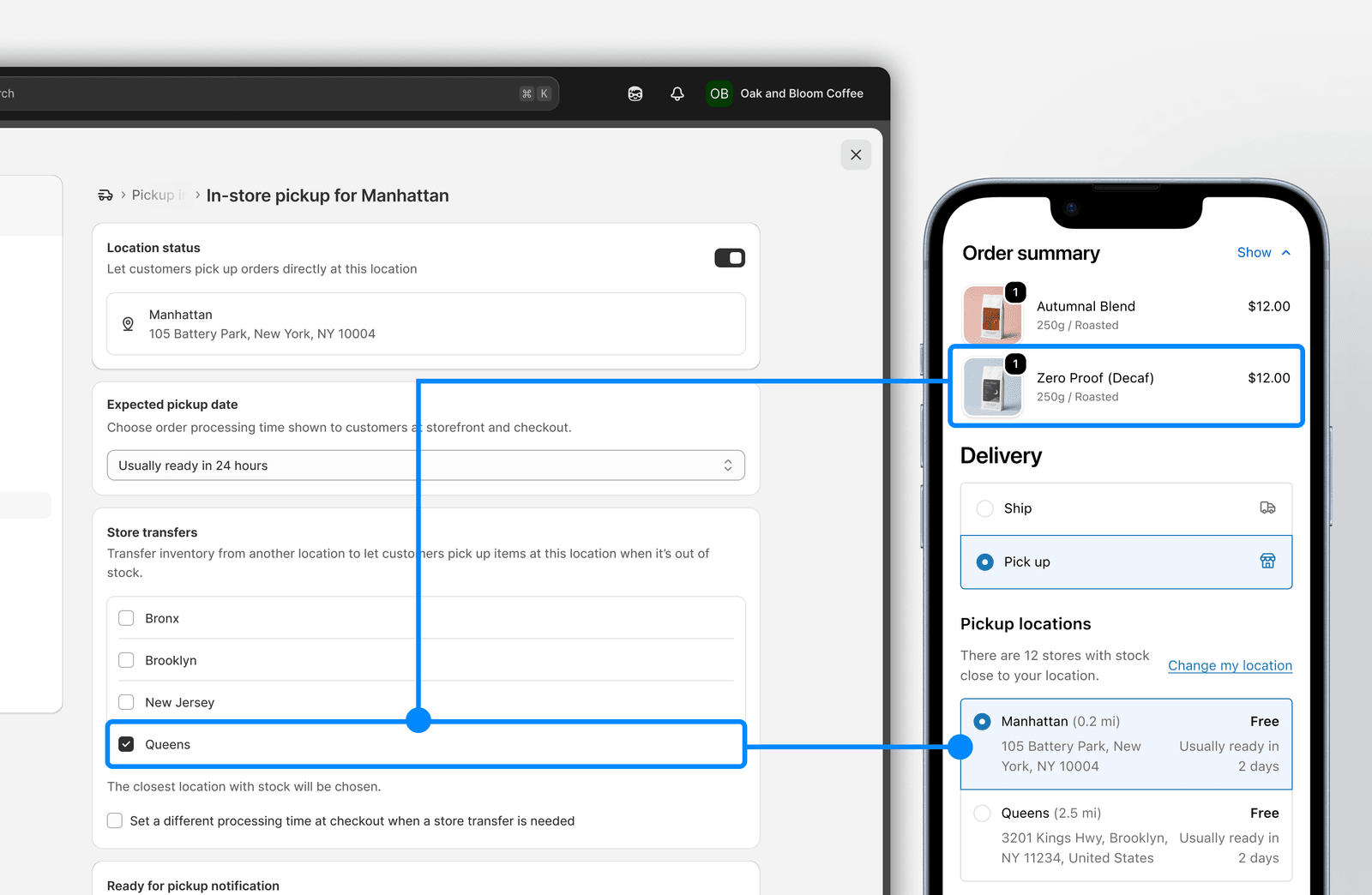
An order now says what it’s waiting on
A transfer is a physical act — someone has to move stock between two buildings — so the order carries that state honestly rather than pretending it’s fulfilled.
We introduced a new sub-status for Transfer required (and other in-between states) to track the order during this process.
Merchants would need to mark an item as Transferred before the Point of Sale device would present the order to associates.
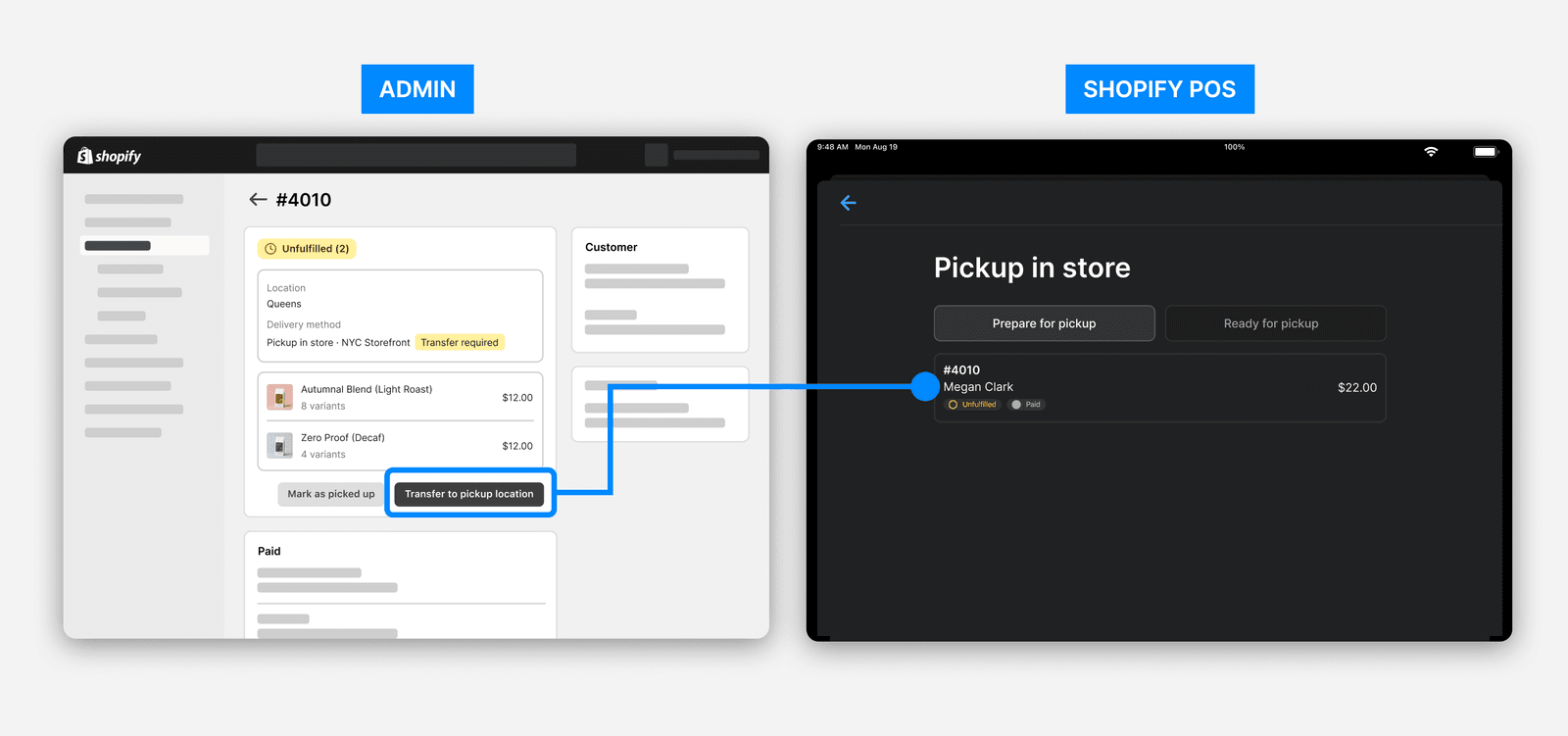
We deliberately limited the amount of interim states (Transfer Received, Transfer Processed, etc), as we lacked sufficient evidence that merchants would actually need them. Getting this wrong would mean merchants having to click through several unneeded steps, to solve a hypothetical use-case we couldn’t prove.
Checkout learned where the buyer actually is
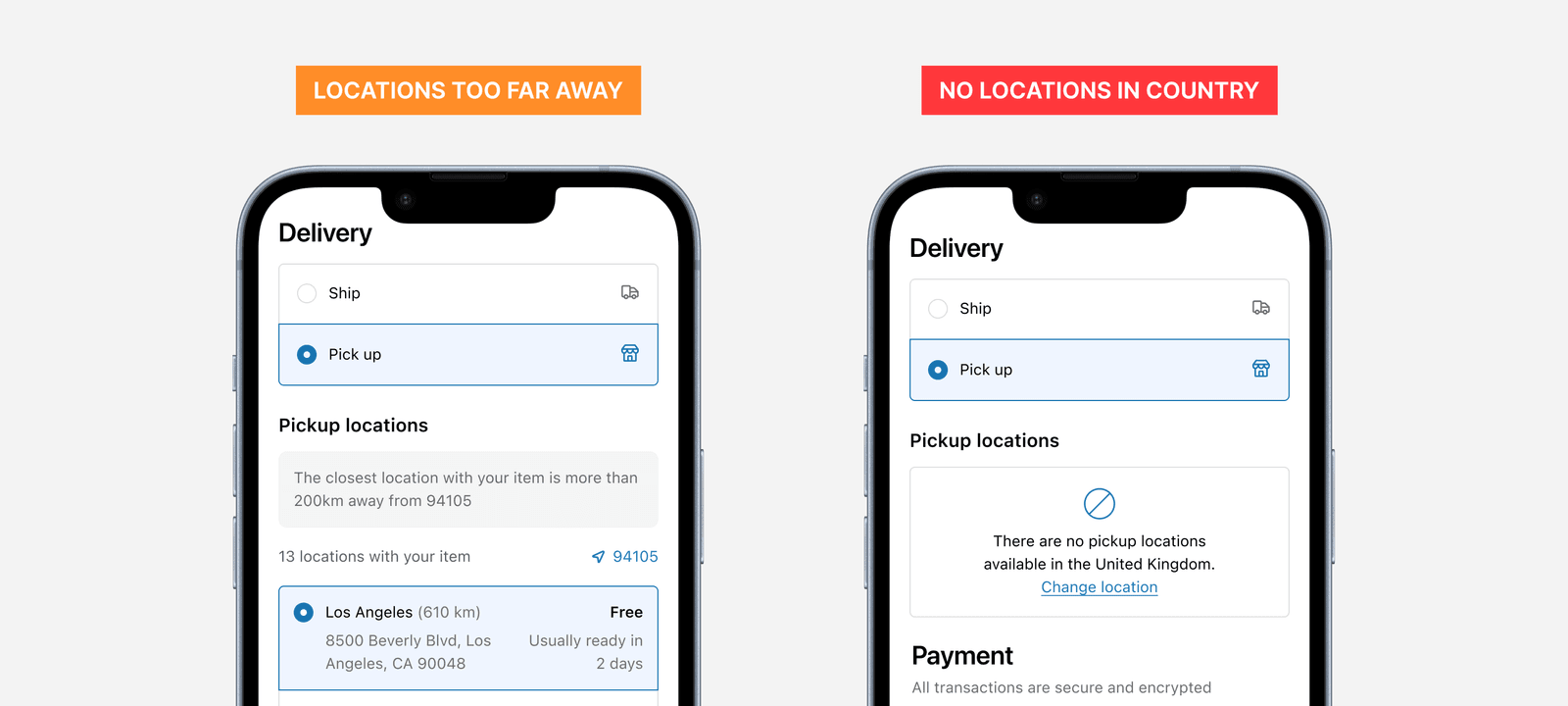
To improve the issue with distant/inaccessible locations at checkout, we were limited by the reliability of knowing the customer’s actual location. Despite this, we shipped two changes, based on our level of confidence.
-
Distant locations in the customer’s country would continue to show in the list, however a banner would call out the high distance, and display the approximate customer location (determined by GeoIP). Previously, the estimated location was hidden under a menu.
-
Hide locations entirely if the customer’s country had no pickup locations at all – we would hide them, but show what their country was, in case GeoIP guessed incorrectly (VPN, cellular network, etc).
In an ideal world, we would hide the Pick up option entirely if it wasn’t available, however the current configuration of Checkout made this impossible as the country/region is not asked for prior to this step. Checkout is one of Shopify’s most critical features, so it was not something we could risk to get wrong within our project timeline. We instead worked with their team to ship these fixes, while highlighting this issue for the future.
We used the same door we asked partners to use
The store transfers feature was built on a new extensibility framework available to 3rd party partners, allowing for custom pickup logic and interface to show alongside the core pickup settings.
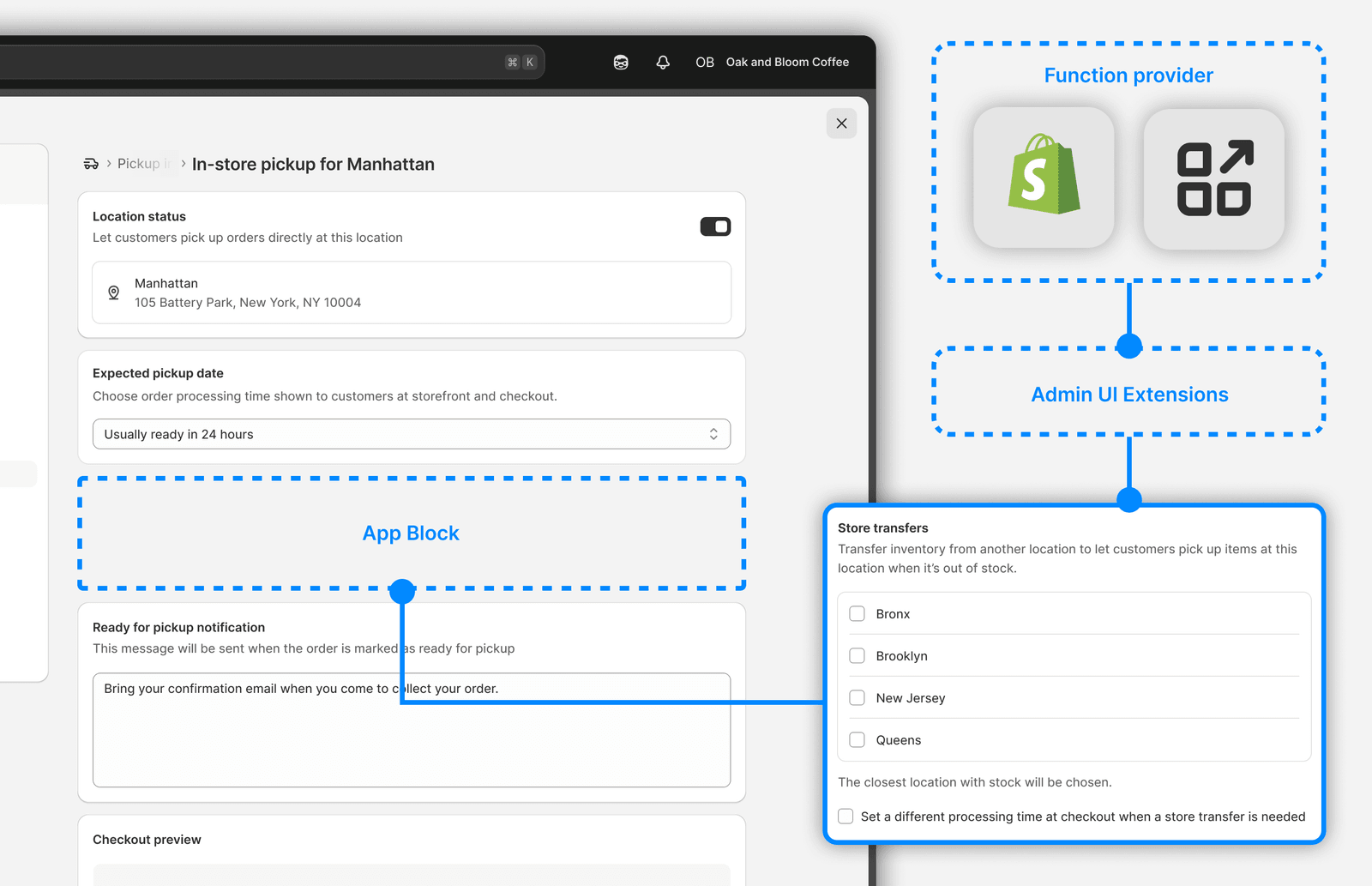
This meant we were building using the same limitations that were available to 3rd parties – including only using UI components from the Admin UI Extensions API.
This had many consequences.
Since this way of building features was still new, the UI library lacked many design components we take for granted (collapsability and modals for example at that time). Because of this, we worked closely with this team to expedite key components that were dealbreakers, while also designing an upgrade plan to update the component as new components became available.
While it was a challenge, the benefit was that this helped the team identify missing components from the UI kit, and adding these meant they also became available to 3rd party partners building their own functions with app blocks throughout the admin.
It shipped as Store Transfers
Store Transfers went out end-to-end and was announced in Shopify’s Summer ‘24 Edition.
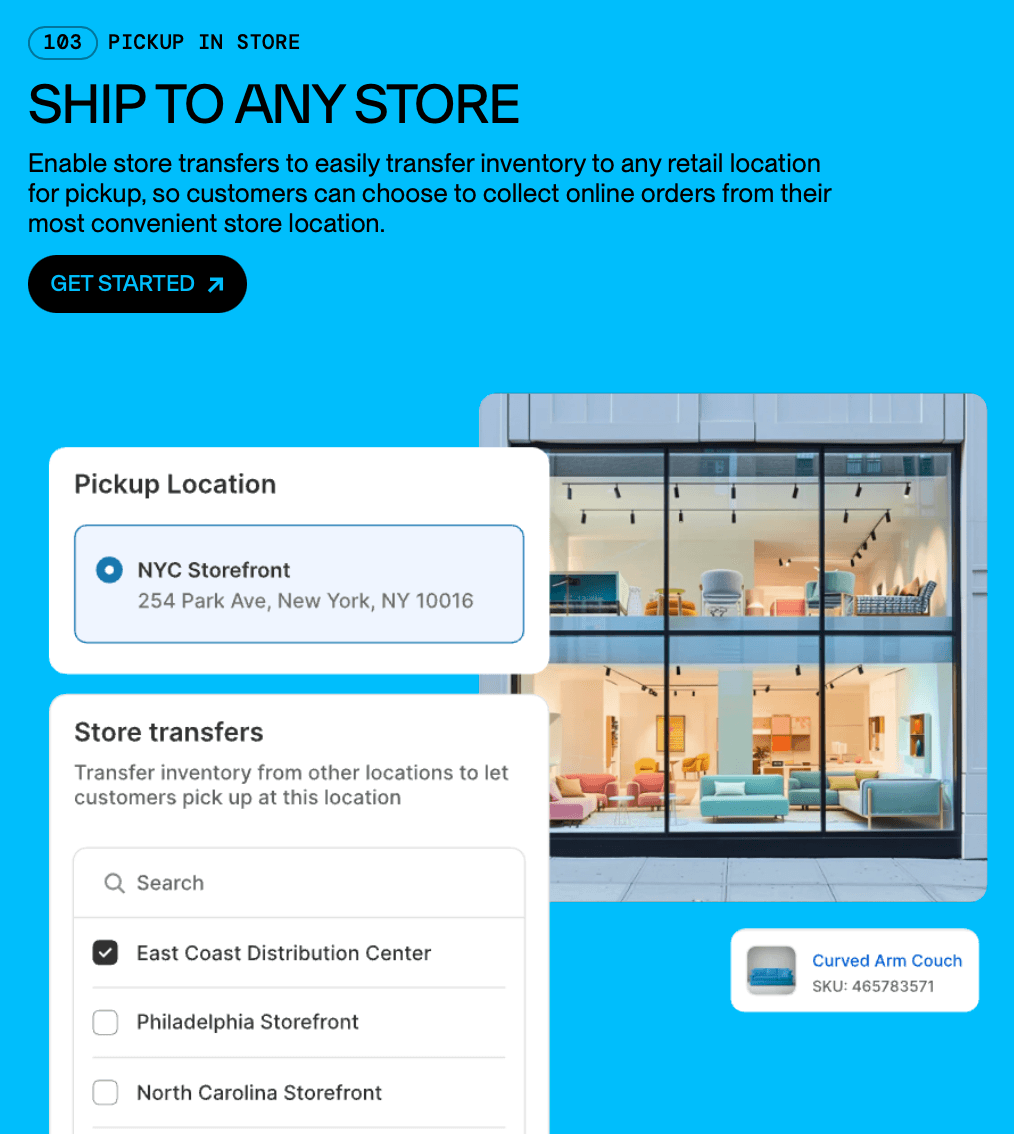
It was an interesting project that let me work across multiple surfaces – Checkout, Functions, and Retail (Point of Sale). Balancing changing limitations and requirements from external teams was a challenge, but let me work with many people, letting us ship a crafted experience for merchants.
More case studies
Rebuilding how stores price shipping, to match how merchants actually think about it
Making it clear how each store location is set up online