Shipping Setup Redesign
Rebuilding how stores price shipping, to match how merchants actually think about it
- Role
- Product designer
- Timeline
- 2025
- Team
- Second designer, content designer, Product, Engineering
- Surfaces
- Admin, Checkout
- Status
- Two releases shipped · third in preview
The interface was confusing because the model was confusing
Shopify’s shipping settings had accumulated complexity over the years – multiple locations, per-product pricing, international markets, among other things. While these features added much needed features for merchants, they also introduced new problems in how this model was presented to them. It was widely regarded as one of the more challenging steps to set up a store – something every merchant had to manage at some point.
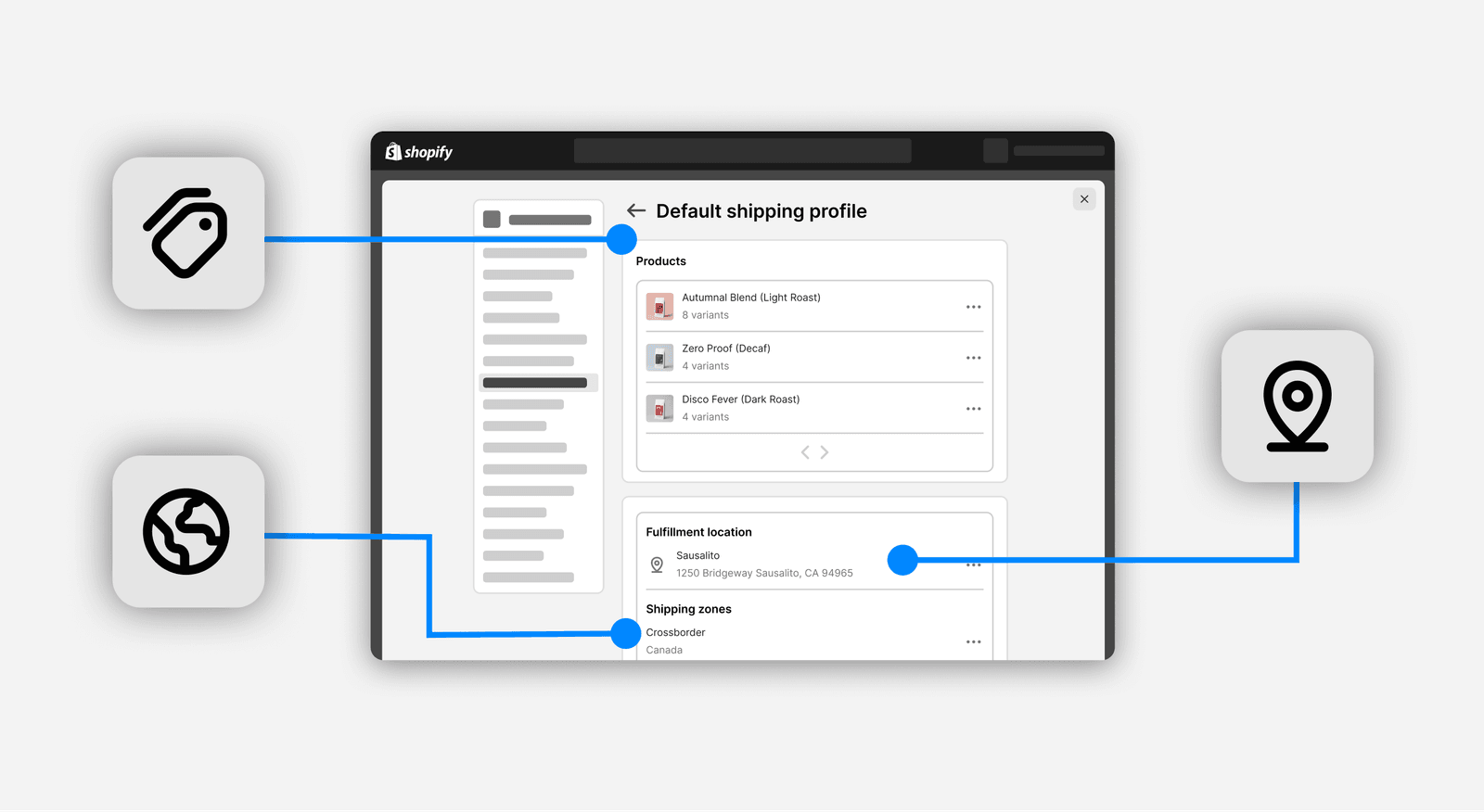
Our longer-term roadmap called for more flexibility in how merchants set up shipping, which could no longer be layered on the current approach. We needed to reconsider previous decisions, and approach this problem from a fresh perspective.
Consolidating scattered conditions into one object
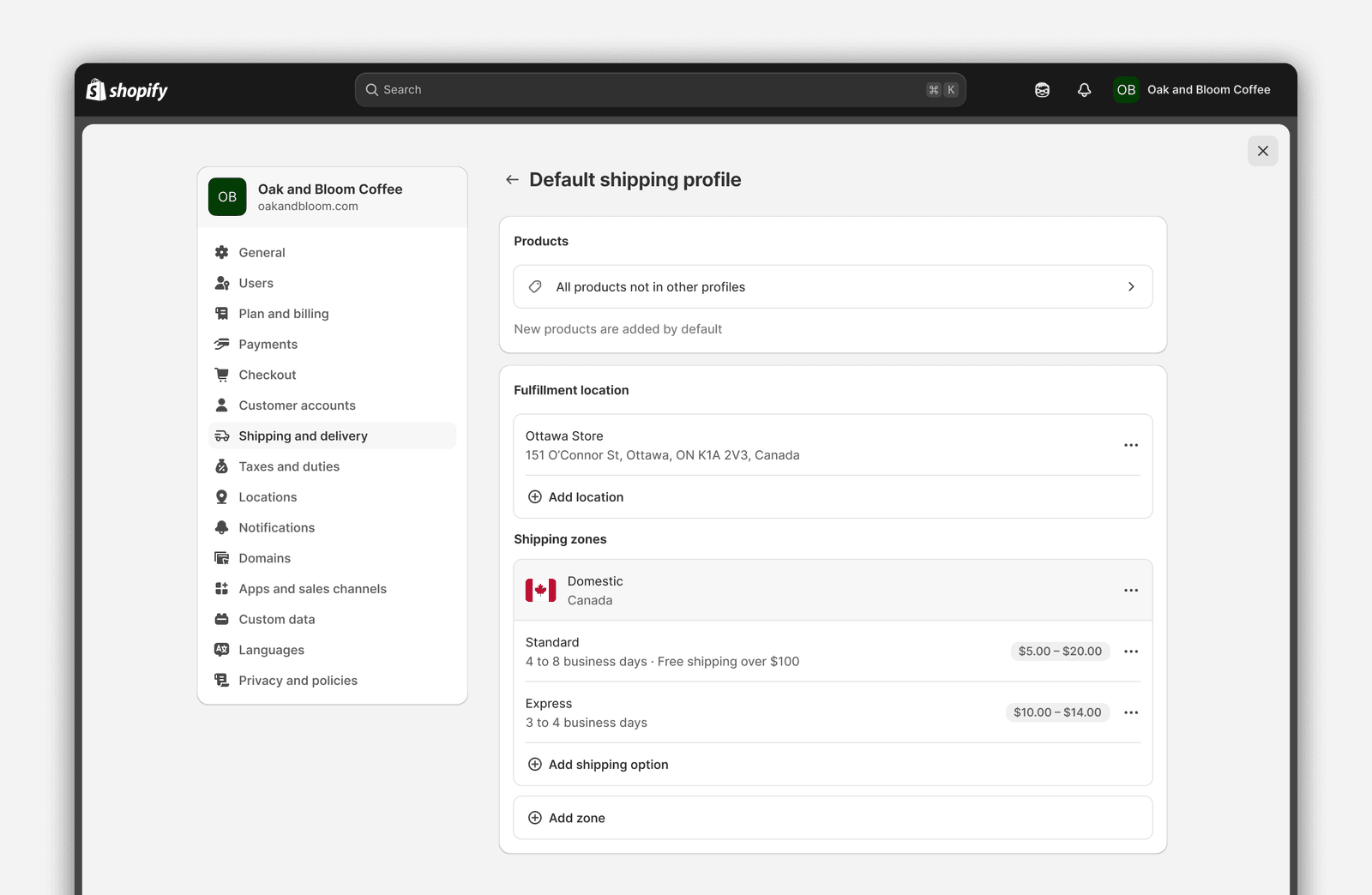
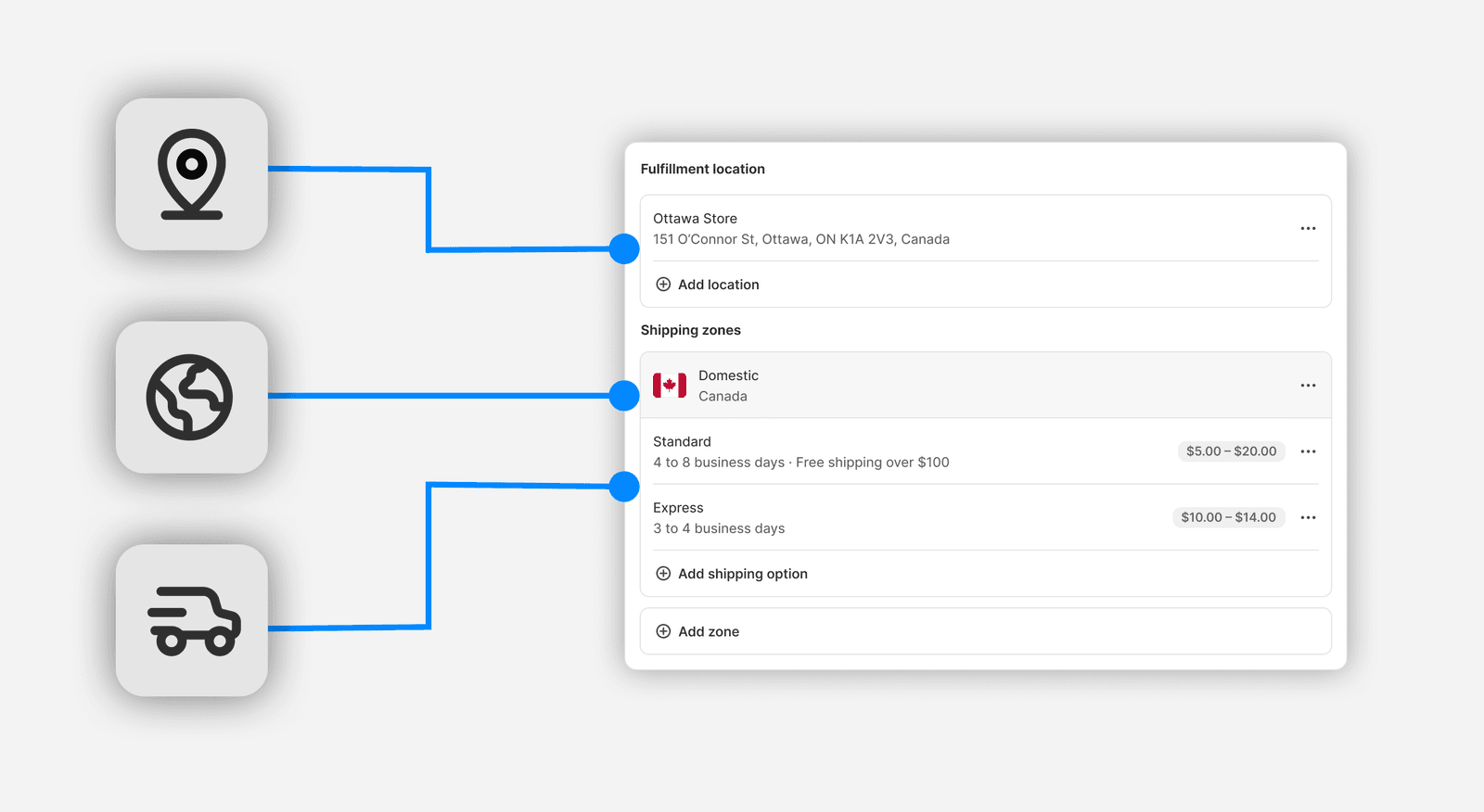
Three changes to the profile page:
- The product card was collapsed. This let us focus the emphasis on the main actionable resource – the shipping options.
- The table was aligned to admin patterns. Updated the component to align with other settings pages – improving consistency and introducing a hierarchy that makes multi-zone setups clearer.
- Conditions were consolidated. A single shipping option replaces what used to be multiple rates with their own conditional logic.
The sharpest change was in the rates themselves. A single delivery promise used to be split across as many rows as its conditions required, so a merchant maintained five entries to express two actual choices — and the customer never saw them as separate anyway.
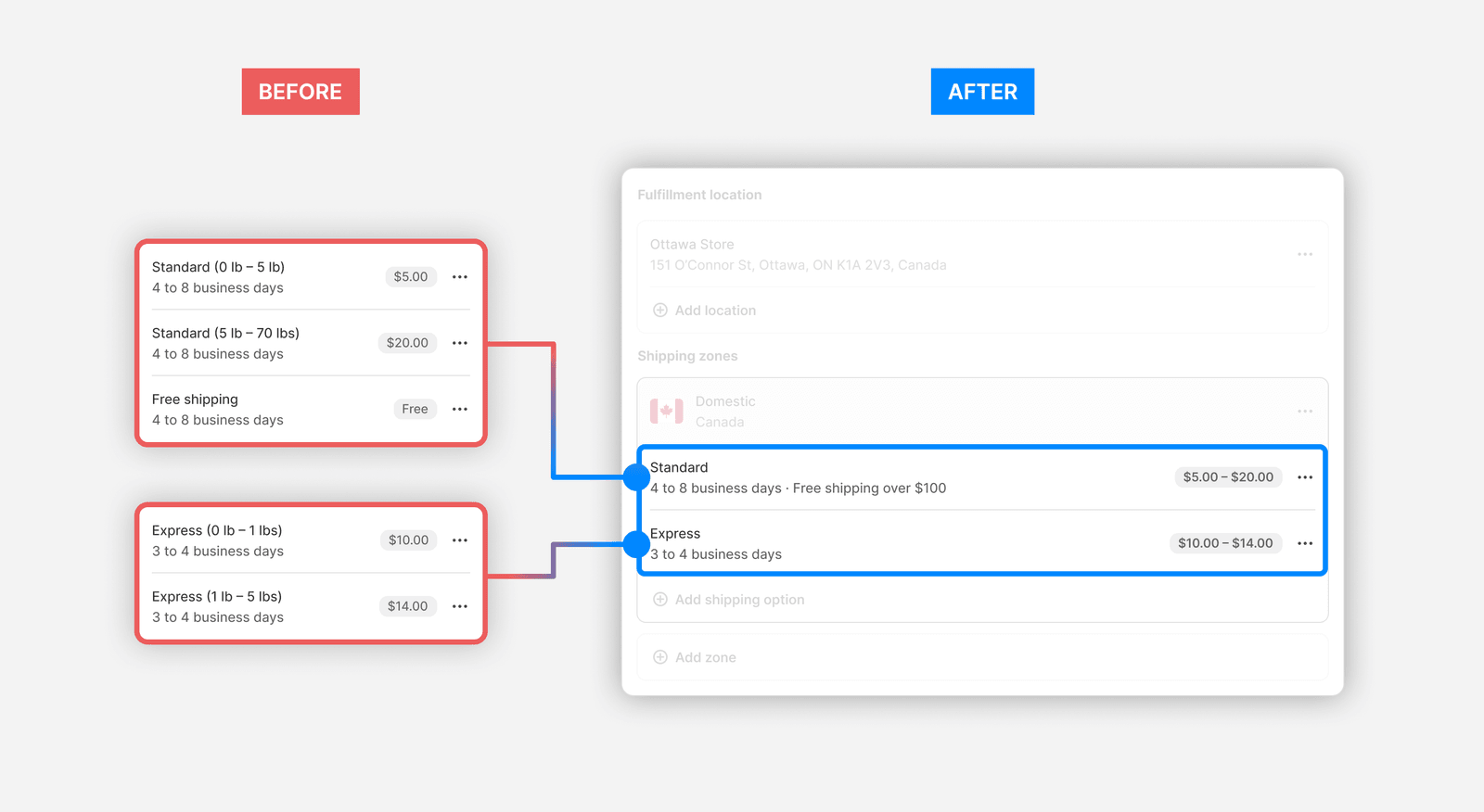
Shipping options map to what the customer actually sees
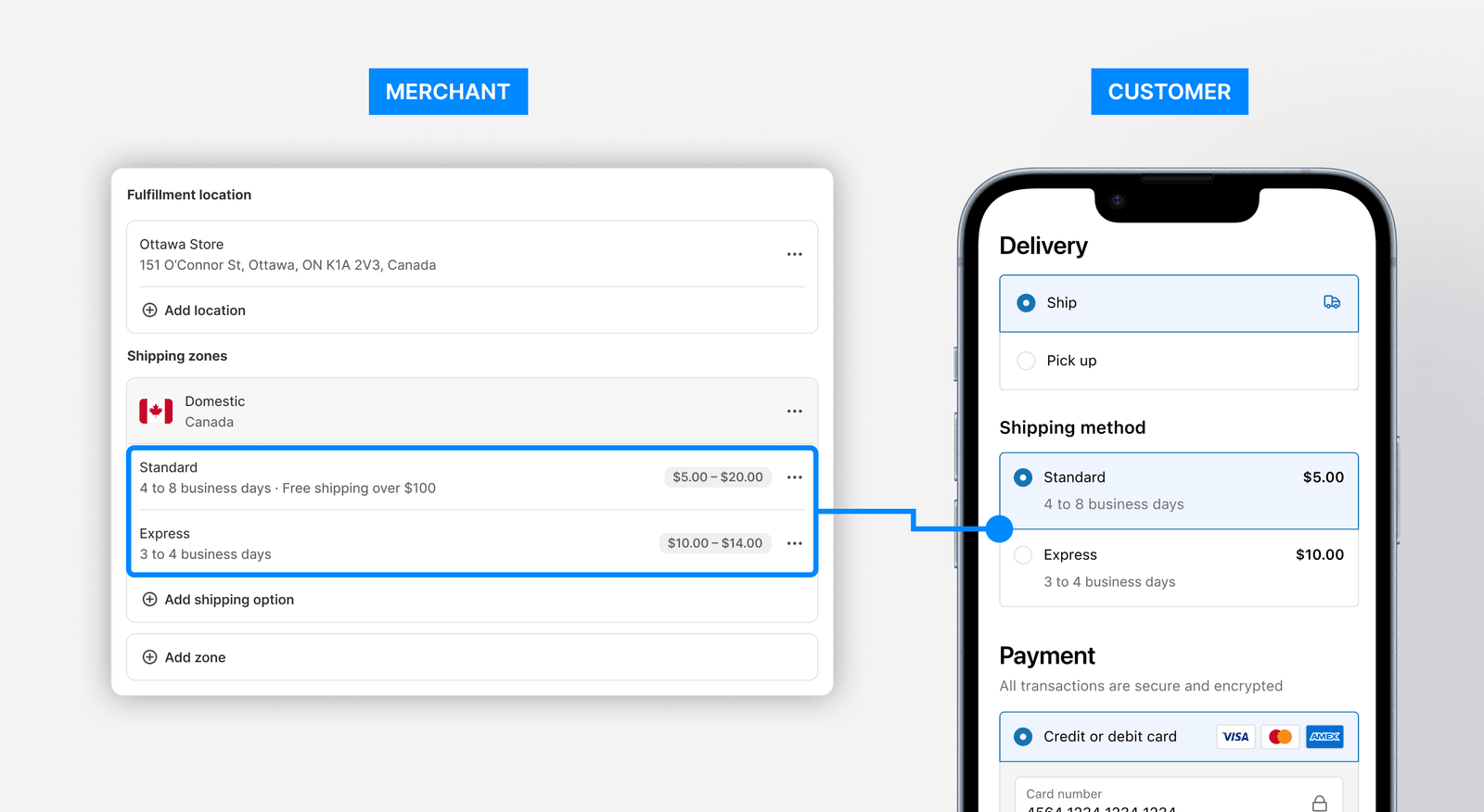
The new model leads with what the customer sees at checkout – then lets the merchant add internal conditions that can adjust the price or delivery time.
This also introduces a soft restriction where those individual conditions must share the same name – meaning we avoid letting merchants create accidental duplication of shipping options at checkout, can consolidate rates across multiple profiles, etc.
To support this change, we needed to rebuild the previous settings modal with a settings sheet that could support the new condition UI.
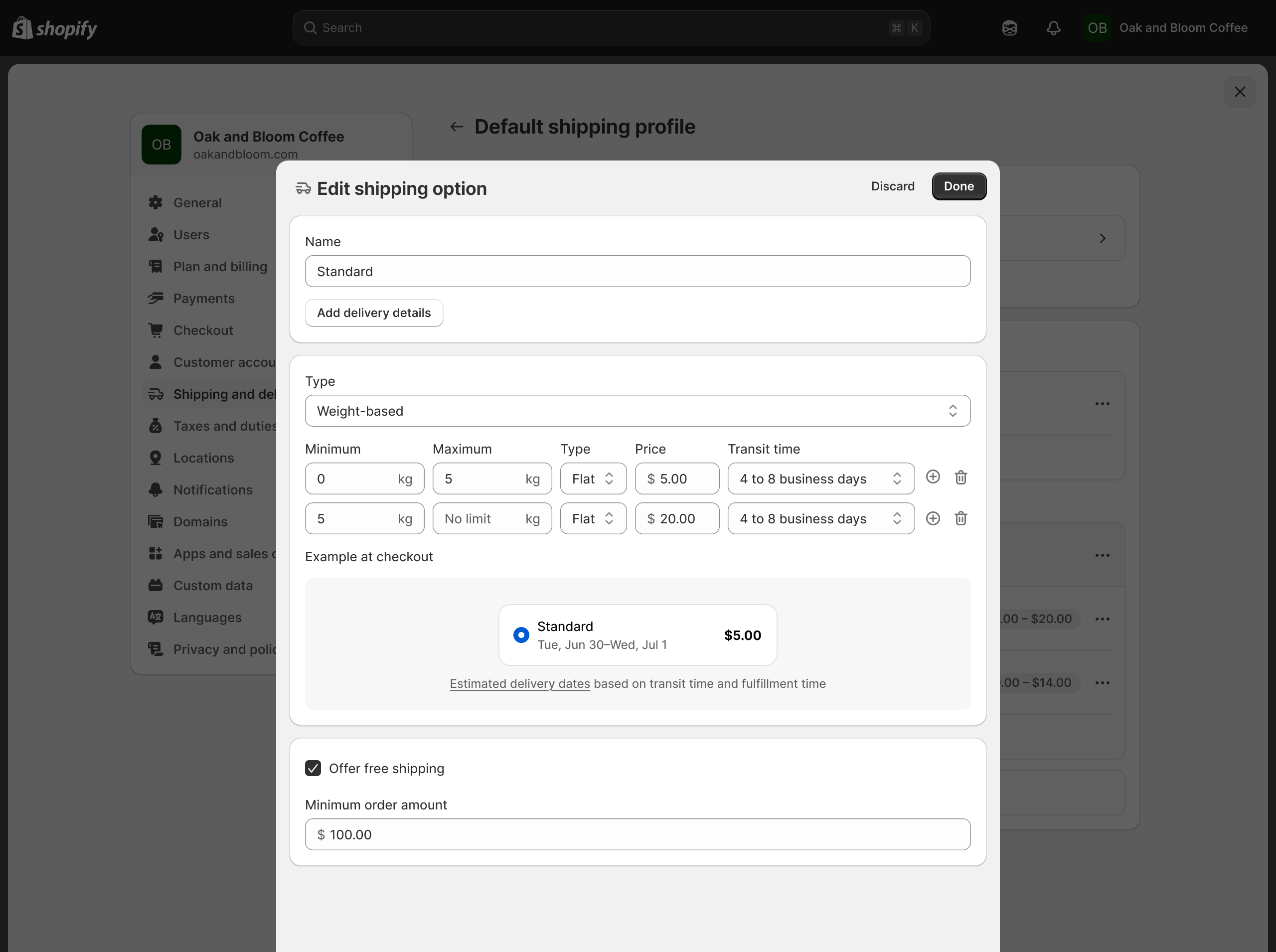
- One name, all the logic beneath it — price, transit time, and whether the option appears at all
- Free shipping as a global override, promoted out of the condition list because it was the most common use of price conditions
- A checkout preview inside the editor — to help reinforce the model that this option is what customers see at checkout
Two ways to model pricing, and why we picked one
The biggest design decision on this project was how to model conditional pricing itself: whether order weight and order value should be treated as rate types or as conditions.
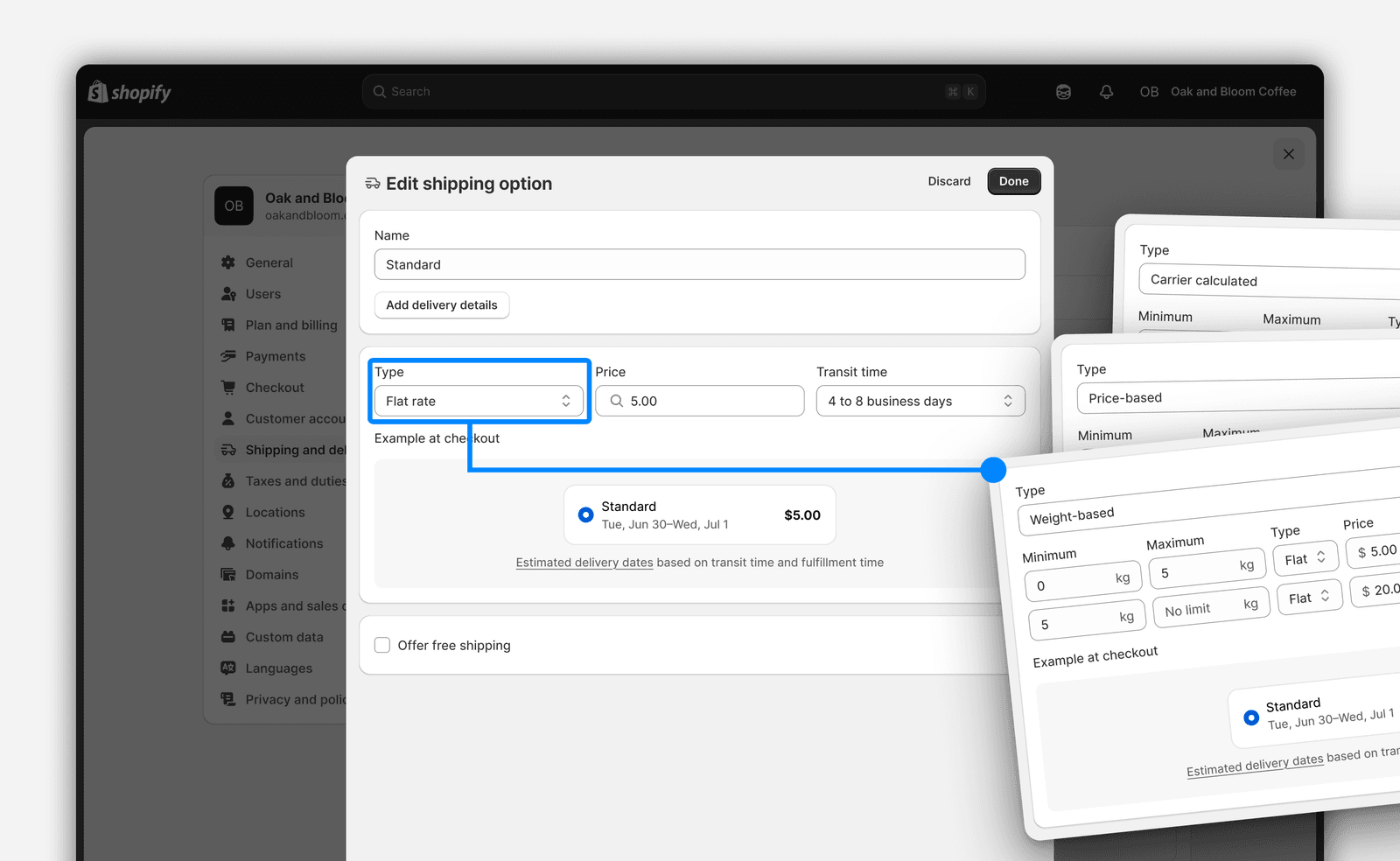
We landed on rate types — a top-level choice about how a merchant wants to price, rather than a condition layered alongside others.
In a later update, we would introduce product and location conditions. We determined that if weight and value lived there too, every combination would have to be declared explicitly, creating more complex setups.
Opinions differed — map to the backend exactly (conditions), or create a new layer that improves frontend presentation (rate types). We made the case for rate types, and aligned as a team on this approach.
The model held strong
The model I helped define for the first project milestone held after I left, in the second release for Shopify’s Spring ‘26 Edition as “Advanced Shipping Options,” and the third in public feature preview as Market-driven shipping — where product and location conditions live inside rates, and shipping configuration finally moves into Markets as the top-level container.

It was an interesting challenge joining a project in-progress, working on the details of the first project milestone, while also planning towards the future vision that was shaping alongside this work. Working on an infrastructure project (rather than a new feature add) was also quite rewarding, as it requires you to learn more deeply about the domain, and considering deicisions that were made long before your project.
More case studies
Making it clear how each store location is set up online
Letting stores move stock between locations, so one missing item stops blocking an order